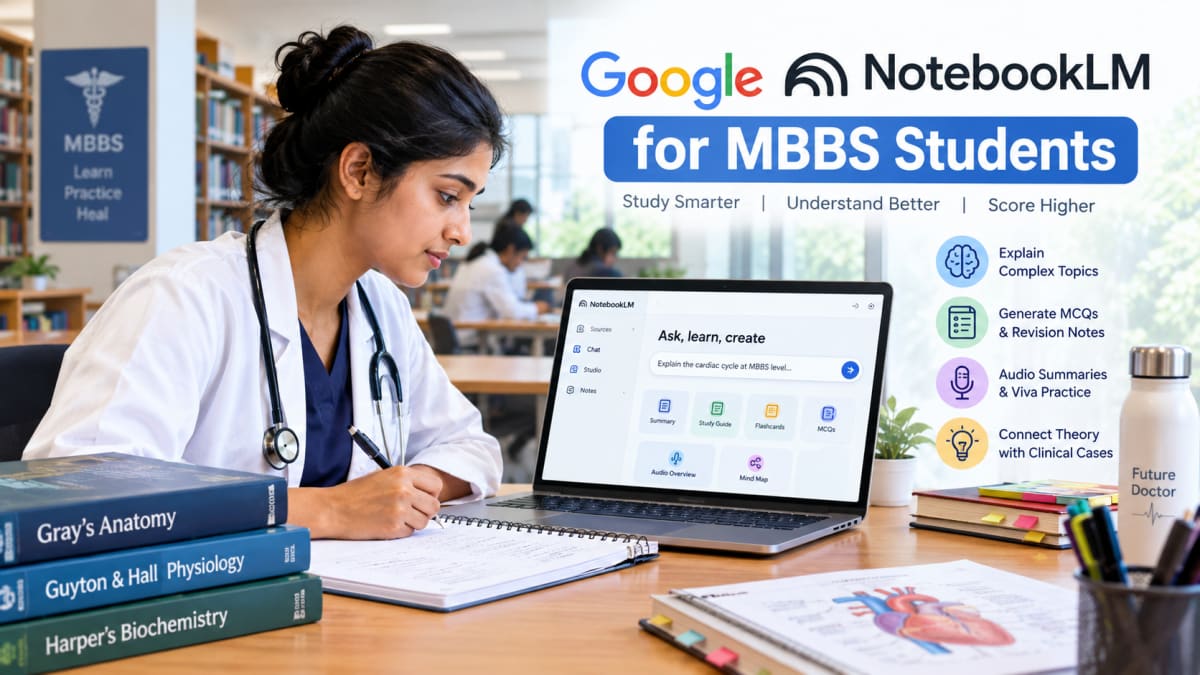
How MBBS Students Can Use Google NotebookLM for Smarter Medical Studies in 2026
Medical studies can be challenging. MBBS students have to understand complex subjects, remember hundreds of medical concepts, prepare for practical exams, and revise large amounts of information before examinations. Reading textbooks and making notes are essential, but students can also use AI tools to make their study routine more effective.
One such tool is Google NotebookLM, an AI-powered study assistant that helps students understand and organise information from their own study materials.
From simplifying difficult medical topics to generating revision questions and audio summaries, NotebookLM offers several features that MBBS students can explore. Here is how medical students can use it to improve their learning experience in 2026.
What Is Google NotebookLM?
Google NotebookLM is an AI-powered research and learning tool that works with sources provided by users. Students can upload supported documents, add reference materials, and ask questions about the information they contain.
Unlike a general AI chatbot, NotebookLM is designed to help users work with a collection of sources. Its responses can include citations that help students locate the relevant information in their uploaded material.
For MBBS students, this can be useful when studying lecture notes, preparing topic summaries, revising textbook chapters, or reviewing faculty-provided study resources.
Students can explore NotebookLM at https://notebooklm.google.com/.
7 Ways MBBS Students Can Use Google NotebookLM
1. Understand Difficult Medical Concepts
Subjects such as Anatomy, Physiology, and Biochemistry contain many complex concepts that require more than memorisation.
For example, a student studying cardiac physiology might struggle to understand the cardiac cycle, heart sounds, or regulation of cardiac output.
By uploading relevant notes and asking NotebookLM to explain the topic step by step, students can get a simpler explanation based on their sources.
Example prompt:
"Explain the cardiac cycle at MBBS level in simple English. Cover each phase, pressure changes, valve movements, heart sounds, and clinical relevance. Use my uploaded notes and cite the relevant sources."
Students can also request explanations in Hindi or a mixture of Hindi and English when that makes a concept easier to understand.
2. Prepare for MBBS Examinations
Exam preparation requires regular revision and practice. NotebookLM can help students organise their notes into concise study guides and review materials.
Students can use it to prepare:
- Short notes on important topics
- Topic-wise revision guides
- Multiple-choice questions (MCQs)
- Flashcards for definitions and terminology
- Question-and-answer sets for revision
For example, a student revising pharmacology can ask for questions about drug classifications, mechanisms of action, adverse effects, and contraindications.
However, generated questions should be treated as practice material, not as a guarantee of what will appear in university examinations.
3. Study Anatomy, Physiology, and Biochemistry More Effectively
First-year MBBS students can use NotebookLM to organise information across major preclinical subjects.
Anatomy: Create structured notes about muscles, nerves, blood supply, anatomical relations, and clinical correlations.
Physiology: Break down mechanisms such as nerve conduction, respiration, renal function, and cardiovascular regulation.
Biochemistry: Summarise metabolic pathways, enzymes, vitamins, and important biochemical reactions.
Students should remember that text-based summaries cannot replace practical anatomy sessions, dissection, histology slides, laboratory work, or properly labelled diagrams.
4. Generate Audio Summaries for Revision
NotebookLM offers Audio Overviews, which can turn supported source material into podcast-style discussions.
This feature can help students revisit a topic while commuting or taking a break from screen-based study.
For example, an MBBS student can use uploaded notes on inflammation to create an audio overview and listen to a discussion of the major concepts.
Audio summaries work best as a supplement to active learning. Students should still review diagrams, practise questions, and check details that require precise terminology.
5. Practise Viva Questions
Practical examinations and viva sessions require students to explain concepts clearly rather than simply recognise the correct answer.
Students can use NotebookLM to prepare viva questions from their notes and practise answering them aloud.
For example, a student studying the brachial plexus could request questions about its roots, trunks, divisions, cords, branches, and common clinical injuries.
Example prompt:
"Generate 20 MBBS anatomy viva questions on the brachial plexus using my uploaded notes. Start with basic questions and gradually increase the difficulty. Provide model answers and cite the sources."
Students can then cover the answers, attempt each question independently, and review their mistakes.
6. Connect Basic Sciences With Clinical Cases
One important part of medical education is understanding how basic science relates to patient symptoms and disease mechanisms.
NotebookLM can help students create educational case-based exercises from suitable study material.
For example, while studying respiratory physiology, students could practise a hypothetical case involving breathlessness and answer questions about oxygen transport, ventilation, and gas exchange.
These exercises can encourage clinical reasoning and help students connect theoretical concepts.
However, AI-generated cases may contain errors or incomplete information. They are for educational practice, not for diagnosing real patients or deciding their treatment.
7. Organise Study Materials by Subject
MBBS students often collect lecture PDFs, handwritten notes, reference documents, and revision material from different sources.
Creating separate notebooks for individual subjects or topics can make revision easier.
For example:
- Notebook 1: Anatomy
- Notebook 2: Physiology
- Notebook 3: Biochemistry
- Notebook 4: Pathology
- Notebook 5: Pharmacology
- Notebook 6: Microbiology
Students can organise their sources around the university syllabus and use them to prepare topic-wise revision material.
This approach is especially useful before internal assessments, practical examinations, and university exams.
How to Use NotebookLM for MBBS: Step-by-Step Guide
Getting started is straightforward.
Step 1: Open NotebookLM
Visit https://notebooklm.google.com/ and sign in with your Google account.
Step 2: Create a notebook
Create a notebook for a particular subject, such as Anatomy or Physiology.
Step 3: Add your study materials
Upload supported PDFs, documents, lecture notes, or other available source types. Use materials you are permitted to upload.
Step 4: Ask specific questions
Instead of asking "Teach me Anatomy", ask about one topic at a time. For example, request an explanation of the femoral triangle, including its boundaries, contents, and clinical importance.
Step 5: Create revision material
Use the available study features to prepare summaries, quizzes, flashcards, or audio overviews, depending on current feature availability.
Step 6: Verify important information
Check citations against the original material. Use recognised medical textbooks, faculty guidance, and current clinical guidelines to verify information that is important for examinations or patient care.
Sample NotebookLM Prompts for MBBS Students
Here are five prompts students can customise for their subjects.
For understanding a topic:
"Explain [topic] at MBBS level. Cover the definition, classification, mechanism, important concepts, and clinical correlations. Use my uploaded sources and cite relevant passages."
For exam preparation:
"Create 25 MBBS-level MCQs on [topic], with four options, correct answers, explanations, and source citations. Include easy, moderate, and difficult questions."
For viva practice:
"Act as an MBBS viva examiner for [subject and topic]. Ask one question at a time, wait for my answer, identify mistakes, and explain the ideal answer using my sources."
For quick revision:
"Create concise revision notes on [topic]. Include important definitions, classifications, mechanisms, and comparison tables. Highlight areas that need verification."
For clinical reasoning:
"Create an educational clinical case related to [topic]. Ask me questions about the possible diagnosis, relevant investigations, and underlying pathophysiology. Wait for my response before revealing the explanation."
Is Google NotebookLM Free for MBBS Students?
NotebookLM offers a free version, making it accessible to students who want to explore AI-assisted learning without immediately paying for another study tool.
However, usage limits and feature availability can change. Students should check the current limits on the official website before relying on a particular feature for daily study.
The free version can be a useful starting point for organising study sources, asking questions, and experimenting with supported learning tools.
Limitations of NotebookLM in Medical Education
Although NotebookLM can be helpful, students should understand its limitations.
- It can make mistakes: AI-generated explanations may be inaccurate or incomplete.
- It depends on the sources: Uploaded notes may contain outdated or incorrect information.
- It does not replace textbooks: Standard medical references and prescribed reading remain essential.
- It cannot replace practical training: Clinical examinations, laboratory sessions, bedside learning, and supervised clinical experience are irreplaceable.
- It should not be the final authority for treatment: Medical decisions require appropriate professional supervision and reliable clinical guidance.
Students should also avoid uploading identifiable patient information or confidential medical records.
Final Verdict: Is NotebookLM Useful for MBBS Students?
Google NotebookLM can be a useful addition to an MBBS student's study routine. It can help simplify difficult concepts, organise lecture notes, generate practice questions, prepare for viva examinations, and create audio-based revision material.
The most effective approach is to combine AI-assisted learning with standard textbooks, classroom teaching, practical sessions, active recall, and regular revision.
Use NotebookLM to understand and practise, not simply to memorise AI-generated answers. Medical knowledge requires accuracy, critical thinking, and the ability to apply what you learn responsibly.
For students who want to explore AI-assisted medical learning, NotebookLM is worth trying as a supplementary study tool.
