If you use Claude for writing content, you probably already know how good it can be at creating a first draft.
But there is a small problem.
Every new article usually starts with the same instructions.
You explain the audience. Then the tone. Then the SEO requirements. Then the article structure. Then you explain how you want research done. After that, you may have to remind Claude about internal links, FAQs, formatting and other things.
Doing this once is fine.
Doing it for every article gets irritating.
A better approach is to build your own content setup inside Claude.
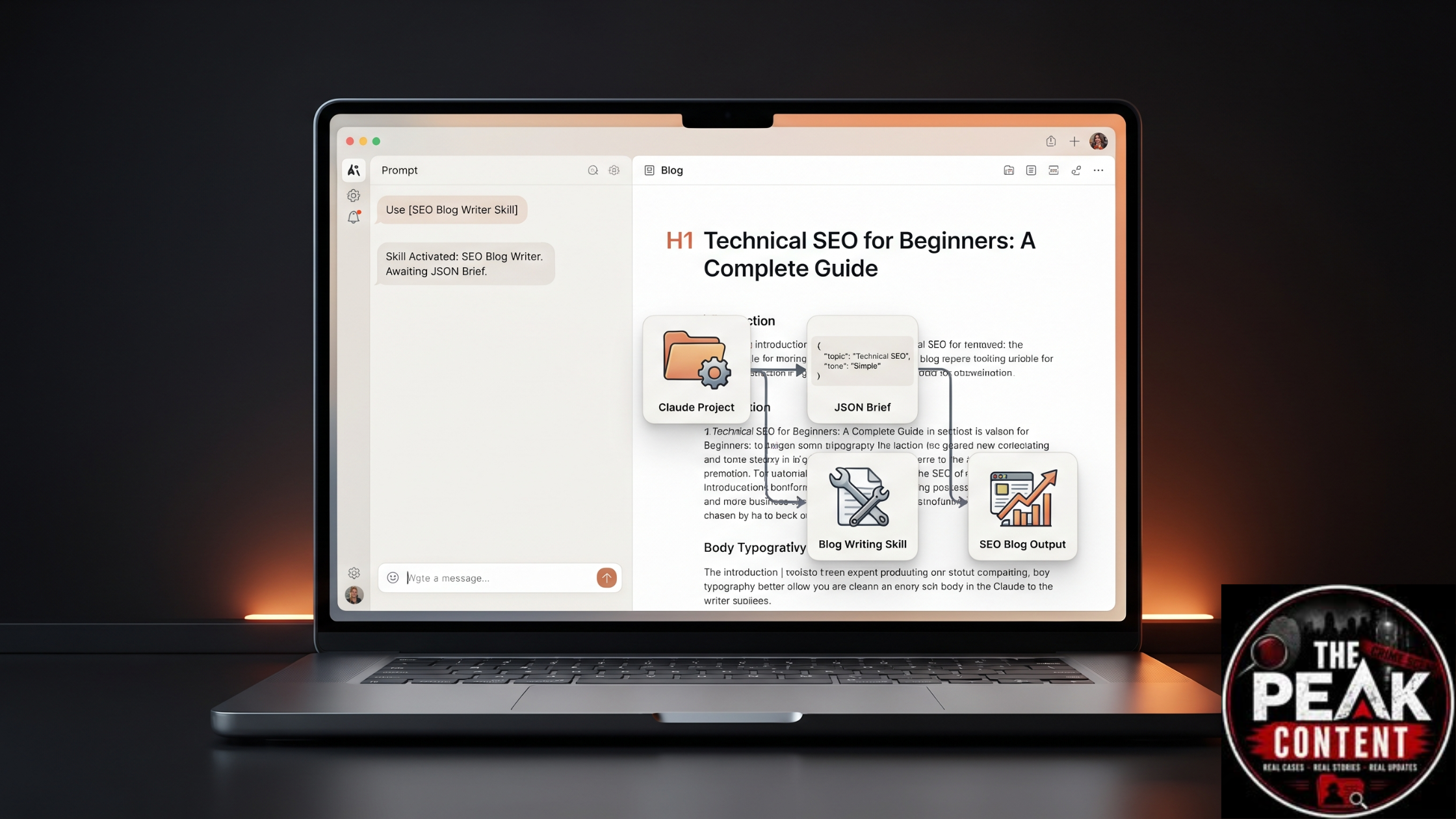
In this guide, we will create a simple Blog Writing Skill and connect it with a Claude Project. We will also use a JSON based content brief so that Claude gets the important information in a clear format.
The idea is not to press one button and blindly publish whatever AI generates.
The idea is to create a workflow that makes your content creation process faster, more organised and more consistent.
What You Will Build
By the end, you will have something similar to this:
Claude Project
      ↓
Your Content Rules
      ↓
Reference Material
      ↓
JSON Article Brief
      ↓
Blog Writing Skill
      ↓
Research + Planning
      ↓
Writing
      ↓
SEO Check
      ↓
Human Review
Each part has a different job.
The Project keeps your general information.
The JSON describes the article you are currently working on.
The Skill contains the instructions for how the article should be created.
Once these pieces are working together, you don't need to start from a blank chat every time.
First Understand Projects and Skills
Before creating anything, it is worth understanding the difference between the two.
A Project is where you keep the information related to your content work.
For example, you might keep your writing guidelines, previous articles, audience information and SEO documents there.
A Skill is focused on a particular job.
In our case, that job is blog writing.
So imagine that you are running a small content team.
The Project is your shared workspace.
The Skill is your process document that explains how a particular job should be done.
The JSON brief is the instruction sheet for today's article.
Once you look at it this way, the setup becomes much easier.
Step 1: Create Your Claude Project
Start with the Project.
Open Claude and create a new Project.
Don't give it a random name that you will forget later.
Something simple works well:
SEO Content System
You can use another name if the Project is for a particular website.
For example:
The Peak Content
If you manage multiple websites, keeping separate Projects can make things cleaner.
The main idea is to give Claude a fixed place for your content related information.
Add a Short Project Description
You can describe what the Project is supposed to do.
For example:
Create practical, useful and SEO focused content for my website.
Focus on clear explanations, accurate information and a natural writing style.
This is not your complete Blog Skill.
It is simply some background for the Project.
Step 2: Tell Claude How You Want Your Content Written
Now add your general instructions.
This is where you can explain your preferred writing style.
For example:
Write in simple English that is easy for Indian readers to understand.

Keep the language natural and conversational.

Avoid unnecessary technical words.

Use short paragraphs.

Explain difficult concepts with simple examples.

Do not repeat the same point in different sections.

Do not use keyword stuffing.

Do not create information just to increase word count.

Focus on answering the reader's actual question.

Avoid generic AI introductions.

Use practical examples whenever they make the topic clearer.

Never create fake statistics, quotes or sources.

If a fact needs verification, verify it before presenting it as fact.
Notice that these are not instructions for one particular article.
They are general rules that can apply to many articles.
That is why they belong in the Project.
Step 3: Give the Project Some Knowledge
This is the part many people skip.
If you already have good content, let Claude understand it.
Add useful reference material to the Project.
For example:
Writing Style Guide
SEO Guidelines
Brand Information
Previous Articles
Internal Linking List
Content Templates
Product Information
You don't need to upload everything you have.
Start with material that actually helps Claude understand your work.
For example, if your website already has 10 articles, choose a few articles that represent the style you want.
This gives Claude something concrete to work from instead of relying only on general instructions.
Step 4: Create a Blog Brief
Now let's move to the article itself.
Suppose today's topic is:
How to Find Low Competition Keywords
You could simply type that sentence into Claude.
But we can give Claude more useful information.
For example:
Topic: How to Find Low Competition Keywords
Primary keyword: low competition keywords
Audience: SEO beginners
Search intent: Informational
Goal: Explain how beginners can find and evaluate low competition keywords
Tone: Simple and practical
Length: Around 2000 words
This is already much better.
But when you start producing content regularly, you may want a format that is easier to reuse.
That's where JSON becomes useful.
Step 5: Use JSON for the Article Requirements
JSON lets us put the important article information into a structured format.
Here is a simple example:
{
  "topic": "How to Find Low Competition Keywords",
  "primary_keyword": "low competition keywords",
  "secondary_keywords": [
    "keyword research",
    "low difficulty keywords",
    "SEO keyword research"
  ],
  "audience": "SEO beginners",
  "search_intent": "informational",
  "goal": "Teach beginners how to find and evaluate low competition keywords",
  "tone": "simple, practical and conversational",
  "language": "English",
  "length": "1800 to 2200 words",
  "seo": {
    "title": true,
    "meta_description": true,
    "headings": true,
    "faq": true,
    "internal_links": true
  },
  "writing_rules": {
    "short_paragraphs": true,
    "use_examples": true,
    "avoid_keyword_stuffing": true,
    "avoid_generic_introduction": true,
    "fact_check": true
  }
}
You don't have to become a programmer to use this.
Think of it as a neatly organised content brief.
Instead of putting all your requirements into one long paragraph, you separate them into fields.
Why JSON Can Be Helpful
Let's say you publish five articles this week.
The basic requirements might remain almost identical.
Only the topic, keyword, audience or goal changes.
With a structured brief, you can change those values without rewriting your complete instructions.
For example:
{
  "topic": "Technical SEO for Beginners",
  "primary_keyword": "technical SEO",
  "audience": "SEO beginners",
  "search_intent": "informational"
}
Then for the next article:
{
  "topic": "Google Search Console Guide",
  "primary_keyword": "Google Search Console",
  "audience": "website owners",
  "search_intent": "informational"
}
Your overall writing process can remain the same.
That is where structured input becomes useful.
Step 6: Create the Blog Writing Skill
Now we can create the Skill.
The Skill will contain the actual blog production process.
Create a folder such as:
seo-blog-writer
Inside the folder, create:
SKILL.md
Your basic structure will look like this:
seo-blog-writer
│
└── SKILL.md
Don't worry about making the first version extremely complicated.
A small Skill that works properly is better than a huge Skill full of conflicting instructions.
Step 7: Add Your Blog Rules to SKILL.md
Here is a starting version you can customise:
---
name: SEO Blog Writer
description: Helps create useful and readable SEO blog articles from structured content briefs.
---

# SEO Blog Writer

## Main Job

Create useful blog articles based on the information provided in the article brief.

The article should answer the reader's question clearly and provide practical value.

## Before Writing

First understand:

1. The topic
2. The primary keyword
3. Search intent
4. Target audience
5. Article goal
6. Available reference material

Do not start writing before understanding these points.

## Planning

Create a sensible article structure.

Use H1 for the main title.

Use H2 for major sections.

Use H3 only when another level of organisation is actually needed.

Do not create headings just to make the article look longer.

## Writing

Use simple English.

Keep sentences natural.

Use short paragraphs.

Explain difficult ideas with examples.

Avoid unnecessary repetition.

Avoid keyword stuffing.

Do not write purely to reach a target word count.

Start with the reader's problem rather than a generic introduction.

Do not make the article sound like a textbook unless the topic requires it.

## SEO

Use the primary keyword naturally.

Use related terms where appropriate.

Create a useful title.

Create a suitable meta description.

Make headings descriptive.

Use internal links only when they are relevant to the topic.

Add an FAQ section when it provides additional value.

## Research

Research information when the subject requires current or specific facts.

Do not invent statistics.

Do not invent quotes.

Do not create fake references.

Clearly distinguish facts from opinions.

## Final Review

Before returning the article, check:

Is the search intent satisfied?

Is the information useful?

Is the language easy to understand?

Are the keywords natural?

Is the article repetitive?

Are internal links relevant?

Are important claims accurate?

Does the article actually help the reader?
This is your basic Blog Writing Skill.
You can add more rules later as you learn what works and what doesn't.
Step 8: Add the Skill to Claude
Once the Skill folder is ready, package it according to Claude's Skill requirements and upload it through the Skills section.
After installation, you can enable the Skill when you want to use your blog workflow.
The important thing here is that your Skill is reusable.
You create it once and then use it across multiple articles.
Step 9: Give Claude Your JSON Brief
Now let's bring everything together.
Suppose you want to write:
SEO Isn't Dead: How to Rank Higher on Google
You can prepare a brief like this:
{
  "topic": "How to Rank Higher on Google",
  "primary_keyword": "how to rank higher on Google",
  "secondary_keywords": [
    "Google SEO",
    "SEO ranking",
    "improve Google rankings"
  ],
  "audience": "SEO beginners and small business owners",
  "search_intent": "informational",
  "goal": "Explain practical SEO methods that beginners can actually use",
  "tone": "simple, practical and human",
  "length": "1800 to 2200 words",
  "internal_links": [
    {
      "anchor": "practical SEO tips",
      "url": "https://www.thepeakcontent.in/posts/seo-isn-t-dead-10-practical-hacks-to-rank-higher-on-google-in-2026"
    }
  ]
}
Then tell Claude:
Use the SEO Blog Writer Skill.

Use this JSON as the brief for the article.

Follow the complete writing process defined in the Skill.

Research information where necessary.

Create the final article in Markdown.
Now Claude has the information it needs.
Step 10: Don't Forget Search Intent
This is one of the most important parts of SEO content.
A keyword alone isn't enough.
For example:
"best SEO tools"
could mean that someone wants to compare tools.
But:
"what is SEO"
usually means the person wants a simple explanation.
And:
"how to fix pages not indexed by Google"
means the reader has a specific problem.
The article should match that intent.
If someone searches for a solution and your article spends 500 words explaining the history of the topic, they may leave before reaching the useful part.
So your Skill should always ask:
What is the reader actually trying to accomplish?
Step 11: Add Internal Links Naturally
Internal links are another thing worth building into your workflow.
For example, if you are writing an article about Google rankings and already have a useful SEO article on your website, you can connect the two.
For readers looking for practical SEO techniques, you can link to SEO Isn't Dead: 10 Practical Hacks to Rank Higher on Google in 2026.
The important word here is relevant.
Don't add five internal links just because you have five URLs.
Add a link when the other article gives the reader something useful.
Step 12: Test the Skill With Different Topics
Once your Skill is installed, test it properly.
Don't test only one article.
Try different types of content.
Informational
What is technical SEO?
Problem Solving
Why are my pages not getting indexed by Google?
Comparison
Google Ads vs Meta Ads for an insurance business
How To
How to find low competition keywords
Beginner Guide
Google Search Console for beginners
Now compare the results.
Look for problems.
Maybe Claude is making the introductions too long.
Maybe it is using too many headings.
Maybe the articles sound too formal.
Maybe it is repeating the same information.
Don't manually correct the same problem in every article.
Update the Skill instead.
Step 13: Improve the Skill From Real Experience
This is probably the most important part of the whole process.
Your Skill should change as you use it.
For example, suppose Claude keeps starting blogs with:
In today's digital world...
You can add a rule:
Never use generic introductions such as "In today's digital world."

Start with the reader's problem, question or situation.
If Claude is making articles unnecessarily long:
Do not add sections simply to increase word count.
Remove information that does not help the reader.
If Claude keeps repeating points:
Once an idea has been explained, do not repeat it unless the new section adds a different perspective.
Over time, these small changes make the Skill much more useful.
What the Final Workflow Looks Like
After everything is set up, your regular workflow becomes much simpler.
Choose Topic
      ↓
Select Primary Keyword
      ↓
Understand Search Intent
      ↓
Prepare JSON Brief
      ↓
Run Blog Skill
      ↓
Research
      ↓
Create Structure
      ↓
Write Article
      ↓
Optimize SEO
      ↓
Add Relevant Internal Links
      ↓
Review
      ↓
Publish
The process is still not completely automatic.
And that is actually a good thing.
You should still read the final article.
AI can misunderstand a topic.
It can miss context.
It can sometimes produce information that sounds correct but needs verification.
Your review is what turns an AI draft into content you can confidently publish.
The Simple Difference Between Project, JSON and Skill
If all of this still sounds confusing, remember these three lines:
Project = What Claude should know

JSON = What this particular article needs

Skill = How Claude should complete the task
That's it.
Once you understand this, you can build similar systems for other tasks too.
For example, you could create separate Skills for:
Blog Writing
YouTube Scripts
Social Media Posts
SEO Audits
Email Writing
Content Updating
Each Skill can have its own workflow.
Is This Better Than a Normal Prompt?
For one article, probably not by much.
A normal prompt can be perfectly fine.
The difference becomes obvious when you create content regularly.
If you write one article every few months, a normal prompt may be enough.
If you manage a website and publish content regularly, having a reusable setup can save a lot of repetitive work.
You define the process once.
Then you keep improving it.
That's the real advantage.
One More Thing: Don't Let AI Do Everything
There is a temptation to build a Skill and then let Claude handle the entire content operation.
I wouldn't recommend that.
Use Claude for the parts where it saves you time.
Research assistance.
Content planning.
Outlines.
First drafts.
SEO checks.
Editing.
Content improvements.
But add your own knowledge to the article.
If you have tested something yourself, mention it.
If you have a real example, use it.
If you have screenshots, add them.
If you disagree with a common SEO opinion, explain why.
These things make content more useful and give it a voice that a generic AI article usually doesn't have.
For more practical SEO ideas, you can also read SEO Isn't Dead: 10 Practical Hacks to Rank Higher on Google in 2026.
Final Thoughts
Creating a Blog Writing Skill in Claude is not about finding a magic prompt that writes perfect articles.
It is about creating a process that you can use again and again.
Start with a Project.
Add your basic content rules.
Give Claude useful reference material.
Create a structured JSON brief for each article.
Build a Skill around your writing process.
Then test it with real topics.
When you find a problem, improve the Skill instead of fixing the same problem manually every time.
After a few rounds, you will have something much more useful than a collection of prompts.
You will have your own repeatable AI assisted content workflow.
And the best part is that you can keep changing it as your content strategy changes.